Samsung Galaxy S4 Active

What's Hot: Water and dust resistant, blue color option is striking, same great features as Galaxy S4 though the camera resolution is demoted.
What's Not: Has an 8MP camera rather than the 13MP camera on the Galaxy S4. LCD rather than Super AMOLED display (which could be a plus for some).
line
Reviewed July 11, 2013 by , Editor in Chief (twitter: @lisagade)
The Samsung Galaxy S4 Active is available exclusively on AT&T for those of you who work and play in water and dust. At $199 with contract and $599 off contract, it's the same price as the standard Galaxy S4 and looks nearly identical: it's just a hair thicker but it has the same shape and the controls are in the same places. It gets a faux metallic back that's available in zingy blue or staid gray and it has rubber end caps to keep moisture out and give it a rugged look. The Android 4.2.2 smartphone is water and dust resistant. The IP67 rated phone can withstand immersion in up to 3 feet of water for up to 30 minutes (watch our video review to see it underwater). That doesn't mean crawling along the ocean floor in your scuba gear, but it's safe in the kiddie pool. It is not ruggedized to withstand drops and shocks, so it's for those of you who come into contact with water and dust but not those who drop or sit on their phones.
Samsung Galaxy S4 Active
What's different from the Samsung Galaxy S4?
- The Galaxy S4 Active maintains the 5" full HD display, but it's a TFT LCD rather than Super AMOLED panel. That means more natural colors but blacks aren't as amazingly inky as with Super AMOLED and some Samsung smartphone fans might miss those better than life Super AMOLED hues. The good news is that it's more visible outdoors under direct sunlight and it keeps the gloves-friendly feature. Note that touch doesn't work when the phone is underwater (water is conductive and and it confuses capacitive sensors), so Samsung disables the touch sensors when you're using features like underwater photography mode. This is likely why the phone has mechanical rather than capacitive buttons on the front. This isn't a Samsung issue: Sony's waterproof Xperia Z smartphone and Xperia Tablet Z Android tablet's touch don't work when submerged or very wet.
Samsung Galaxy S4 Active
- The rear camera is 8MP rather than 13MP, but you get all the same camera software and creative shooting modes. In fact, there's a new one called "aqua" for underwater shooting. Image and video quality is very similar to the Samsung Galaxy S3 and Galaxy Note II, which is to say good but not as stunningly detailed as the S4.
- Lastly, the phone has physical front buttons rather than capacitive.
Samsung Galaxy S4 Active

Inside we're looking at the same class-leading 1.9GHz Qualcomm Snapdragon 600 quad core CPU with Adreno 320 graphics, 2 gigs of RAM and 16 gigs of internal storage. As you'd thus expect, the Galaxy S4 Active benchmarks the same as the regular Galaxy S4. Samsung managed to make the phone water and dust resistant while keeping the removable back cover. Remove the back and you'll find the same 2600 mAh removable battery, micro SIM card slot and micro SDXC card slot. The door has a rubber seal, and you should make sure you've got it completely snapped in place before taking it and your rubber ducky into the bath. Note: it takes a bit more work to get the back snapped on compared to the Galaxy S4 because that rubber seal is tight. Likewise, the micro USB port on the bottom has a rubber cover that must be closed before you play in water. The headphone jack is open as are the mic holes, so Samsung has done some interior sealing for those. Call quality doesn't suffer due to waterproof membranes, and the Active sounds just as superb as the standard Galaxy S4. The phone has the same IR AV remote control for your home theatre gear as the standard GS4.
The OS and TouchWiz software with myriad Samsung apps and tweaks are exactly the same as the Galaxy S4, so we won't rehash those in detail (please read our Samsung Galaxy S4 review if you're unfamiliar with the GS4). The phone has split window multitasking, the floating video player, Smart Stay, Samsung's sharing features that play nicely with other recent Galaxy products and their usual highly customized UI. Android 4.2.2 is under the hood, and that's the most recent version of Android as of this writing, so you're getting a very current smartphone.
Benchmarks
Quadrant: 12,557
AnTuTu: 24,468
Sunspider: 1121
 QuadrantGLBenchmark 2.7, 2.5 Egypt OffscreenAnTuTuSunspider JavaScript Test
Samsung Galaxy S4 Active12,55741 fps24,4681121
Samsung Galaxy S412,27641 fps24,776826
HTC One12,25237 fps24,5891155
Sony Xperia Z791632 fps20,4031306
LG Optimus G Pro11,99428 fps18,561867
Samsung Galaxy Note II600166 pfs (v.2.5 used)14,0561052
LG Optimus G723559 pfs (v.2.5 used)11,0871289
Samsung Galaxy S III510251 fps (v.2.5 used)70111825

Conclusion
If you love the Samsung Galaxy S4, but work or play in harsh environments where the phone comes into contact with water and dust, then the Samsung Galaxy S4 Active is for you. In order to keep the price the same as the regular GS4, Samsung dropped the camera quality down a notch, but you're still getting a very good shooter than can even photograph fishies underwater. Just keep in mind that this isn't a rugged phone and if bumps and drops are a part of your phone's daily life, you'll still need a rugged case.
Price: $199 with 2 year contract, $599 without contract

Samsung Galaxy Tab 3 10.1

What's Hot: Very slim and light, bright display, has IR AV remote.
What's Not: Mediocre low res rear camera, 1280 x 800 display resolution seems low for the price, Intel CPU occasionally balks.
line
Reviewed July 15, 2013 by , Editor in Chief (twitter: @lisagade)
The Samsung Galaxy Tab 3 10.1 is the largest tablet in Samsung's third generation line of mainstream Android tablets. It's the perhaps too gradual evolution of the Galaxy Tab line rather than a leap forward that would place Samsung as the leader among Android tablets. Though we have the feeling that Samsung sees the Galaxy Tab line as their bread and butter mid-range offering, we can't help but feel that they're resting on their laurels since the Tab 3 10.1 lacks a single new flashy feature that would sell you on the Tab 3 10.1 rather than the much higher resolution Nexus 10, sexy full HD Sony Xperia Tablet Z or aging but better spec-d products like the Asus Transformer Pad Infinity TF700. The $399 tablet offers acceptable specs and a brand you can trust more than a must-have feature.
Samsung Galaxy Tab 3 10
Features at a Glance
The Samsung Galaxy Tab 3 10.1 has a 1280 x 800 display, a 1.6GHz dual core Intel Atom CPU, 1 gig of RAM and 16 gigs of internal storage. It has a microSD card slot that's compatible with cards up to 64 gigs, a front 1.3MP camera, rear 3.2MP camera, dual band WiFi, Bluetooth, a GPS and an IR AV remote. The tablet has a 6800 mAh battery. In the US, it's currently sold as a WiFi-only tablet, though I wouldn't be surprised if carriers picked it up as a WiFi + 3G/4G LTE product as they did with the Tab and Tab 2. Samsung also offers the $299 Galaxy Tab 3 8 (8") and $199 Galaxy Tab 3 7 (7") tablets for those who prefer a more portable model. These tablets share the Tab 3 10.1's overall mid-range specs, though they use different CPUs and displays.
Design and Ergonomics: Slim and Shiny
The Samsung Galaxy Tab 10.1 is available in white or brown with gold highlights, and either way you'll get a super-thin 0.31" shiny tablet that adores fingerprints. Yes, it's Samsung so it's made of plastic but it's actually a nice looking piece that I find more attractive than the drabGalaxy Tab 2 10.1. I'm not a fan of brown, and that's probably a cultural thing, but I was pleasantly surprised by the "gold brown" version we have for review. It's attractive and the back looks nearly black in low light, while showing off its warm brown tones in bright lighting. The back doesn't creak when you press it (ahem, Nexus 10) and there's no flex when using reasonable force. The plastic back does not deform with normal handling, and when we pressed hard it moved just a tiny, tiny bit (hey, it is plastic). Given the thin form factor, it's likely that the underlying circuit board and large battery don't allow the back to deform inward. The fake metal edging is reasonably convincing, and our brown model's is faintly smoke brown vs. the pure silver edges of the white model.
Samsung is good at making super skinny, lightweight mobile devices, and the Tab 3 10.1 weighs just 1.12 lbs., making it one of the lightest tablets on the market. The Samsung-made Nexus 10 weighs 1.33 lbs. and is a bit thicker at 0.36" (the Nexus 10 also feels more robust). The Sony Tablet Xperia Z weighs 1.09 lbs. and is 0.27", making it the winner of the 10" waif tablet competition. The Tab 3 10.1 is a few tenths of an inch narrower than the Tab 2 10.1 and the same height (when held in landscape mode).
Samsung Galaxy Tab 3 10
The tablet has stereo speakers, a micro SDXC card slot, a 3.5mm combo audio jack and a micro USB port for charging and transferring data. As with the Galaxy Note 8.0, Samsung has moved to a standard micro USB port rather than their proprietary port. That means older accessories made for the 30 pin Samsung port won't work, but the good news is that the tablet works with older Samsung tablet chargers (just use the included micro USB cable with your old wall charger) as well as the Galaxy S4 charger. In fact, the supplied charger is identical to the GS4's. In addition, the Tab 3 supports USB Host OTG, and with a host adapter you can use flash drives, USB keyboards and some game controllers. The Tab 3 is pickier about controllers than most Android tablets, and it's the first tablet with USB host that wouldn't work with our wired USB XBOX PC game controller (it didn't give an error message, but it didn't do anything either). It complained that our Logitech PS3 style controller was a high power USB device that required external power (wrong) but it did work. Odd. The tablet didn't supply enough power to work with self-powered portable hard drives, but those that have their own power brick work.
Now for the bad news: everyone loved the front-facing stereo speakers on the Tab 2, and that set up a clamor for more manufacturers to employ that design. Guess what? They're moved to the sides of the tablet (relative to landscape mode). As a consolation, this allows for a less wide tablet, and the speakers are placed high, so your hands won't block them. For a tablet, sound volume and clarity are good and even at high volumes it doesn't get wildly shrill, though bass is weak (which is true of all 10" tablets).
Samsung uses capacitive front buttons for back and menu and a mechanical home button rather than the on-screen buttons found on the Galaxy Tab 2. These are consistent with the Galaxy S4 buttons so they'll feel familiar and I have no complaints except they're maddeningly easy to accidentally press.


Horsepower and Performance
The Galaxy Tab 3 10.1 runs on a 1.6GHz Intel Atom dual core Clovertrail CPU more often found on low end Windows 8 tablets, and it has a gig of RAM and 16 gigs of internal storage. It benchmarks similarly to higher end dual core Snapdragon CPUs but it's not quite as fast as the quad core Snapdragon 600 found in the HTC One and Galaxy S4 smartphones, nor does Intel's graphics match MALI's punch in quad core Samsung Exynos CPU tablets like the Nexus 10 and Samsung Galaxy Note 8.0. It's not far behind in benchmarks, and I wouldn't worry too much about this since these tablets are extremely fast and capable of any current task including 3D gaming. I would worry more about CPU optimizations since traditional ARM-based CPUs are Android's bread and butter while Intel CPUs are still relatively rare in Android products. That said, we didn't run into incompatibilities, and it held up well for HD video playback and challenging 3D gaming from the likes of Real Racing 3, Dead Trigger and more. We did notice markedly slower load times for these games, and that may have something to do with a lack of CPU optimizations since storage benchmarks turned in solid numbers. If you own the original Galaxy Tab 10.1 with the Tegra 2 CPU, the Tab 3 10.1's CPU provides significant performance improvements, but I'd still opt or a Tegra or Snapdragon-based tablet given the choice.
16 gigs of internal storage is the standard for name brand tablets, and like most 10" tablets except the Nexus 10, the Tab 3 has a microSD card slot so you can expand storage. Android 4.0 and newer doesn't allow apps to be installed on SD cards But Samsung modifed Android on the Galaxy Tab 3 tablets and Galaxy S4 smartphone to allow app installation to SD cards. Why is this important? While most apps aren't that big, popular A list 3D games like Bard's Tale and Dark Knight Rises can take up 1.6 to 3.5 gigs each. If you're seriously into these kinds of games, keep in mind that you'll only be able to have 3 or 4 installed at a time on internal storage, given the 11.5 gigs of available storage (the OS and other apps use some storage space). But thanks to Samsung's modification, you can install plenty more on a microSD card along with videos, music and documents. Just remember that if you remove the card, any apps installed on it won't be available to your tablet.
Benchmarks
 QuadrantGLBench 2.7Egypt OffscreenAnTuTu3D Mark Ice Storm test 1Sunspider JavaScript Test (lower is better)
Samsung Galaxy Tab 3 10.1504825 fps21,13530 fps1171
Samsung Galaxy Tab 2 10.1263627 fps (GLBench 2.1)4942n/a2206
Sony Xperia Tablet Z745031 fps20,51744.2 fps1501
Google Nexus 10495928 fps13,65837.1 fps1308
Samsung Galaxy Note 8.0705418 fps16,214n/a1024
Samsung Galaxy Note 10.15349101 fps12,777n/a1206
Asus MeMO Pad Smart 10330934 fps (GLBench 2.5)12,421n/a1320

Display and Cameras: Nothing to Write Home About
The tablet has a 1280 x 800 PLS display that's very bright and has wide viewing angles, but the resolution is pedestrian compared to the full HD models on the market. In fact, the identically priced Nexus 10 has a 2550 x 1600 display. Ouch. The aging but still compelling Asus Transformer Infinity TF700 and the new Sony Xperia Tablet Z have 1080p displays, and the TF700 can be found for around the same price as the Samsung Galaxy Tab 3 10.1. That said, the display has pleasing colors and wide viewing angles. Contrast is good and text is decently sharp, though not as clear as tablets running at full HD and higher resolutions.
The cameras aren't impressive at 1.3MP up front and 3.2MP at the rear. Samsung uses an intuitive and pleasing camera UI that offers color effects, panorama and exposure control but you don't get the neat selection of special effects like fish eye, nor is there HDR. The rear camera can shoot 720p video, but its quality is suitable only for those moments when you have no other camera available. Dynamic range is limited and outdoor highlights blow out, and noise is noticeable even with ideal lighting. We're surprised Samsung didn't use the 5MP camera found on the Note tablet models, let alone something higher now that competing Android tablets have 8MP rear cameras.
AV Remote
Just as we've seen on previous Samsung Android tablets and the Galaxy S4 smartphone, the Tab 3 10.1 has an IR AV remote and it comes with both Peel and Samsung WatchOn to control your AV gear and peruse programming. Samsung's fond of doubling up on apps for a single task: there are also two music players and two video players.
Software and OS
You get the latest version of Android (4.2.2) with Samsung's TouchWiz UI and software, though you won't find all the features of the higher end Galaxy Note line or Samsung Galaxy S4 here. Multi-Window, one of our favorite Samsung features, is gone but you do get Smart Stay, Buddy Photo Share and Samsung's music and video players in addition to the standard Android players. Unlike the Galaxy Note 10.1, the Tab 10.1 does not work with a digital pen, but Samsung still includes their notes app, that works fine with the on-screen keyboard and Bluetooth keyboards. Samsung includes Polaris Office so you can view, edit and create MS Office compatible documents.
Battery Life
The Samsung has a 6800 mAh Lithium Ion polymer battery that's sealed inside. Honestly, it's remarkable that Samsung squeezes such a large battery in this thin and light tablet. The Tab 3 ships with the same compact 5v, 2 amp charger as the Galaxy S4 and Samsung Galaxy Note 8.0. Battery life has been good in our mixed-use test with screen on and set to auto-brightness (which is a bit dim for my tastes) and WiFi active. We used the tablet to write reviews in Polaris Office, streamed an hour of Netflix HD video, checked email, did social networking and played music with the screen off for an hour. The tablet lasted 8.5 hours in that test, which is similar to many other Android tablets on the market including the Nexus 10 and Transformer Infinity TF700.
Conclusion
The Samsung Galaxy Tab 3 10.1 isn't a bad tablet, it's just a bit lacking for the price, and it provides little reason for Tab 2 owners to upgrade. The display, though not high resolution, is bright and colorful thanks to Samsung's PLS technology that's similar to IPS, and the tablet is attractive even if it is cursed with Samsung's love of shiny plastic. You get the latest version of Android and for those of you who are Samsung smartphone or older tablet owners, TouchWiz will feel familiar and inviting. The mediocre cameras, Intel CPU that seems to lag every so often and have issues with game load times detract from this $400 tablet's experience, but we have hope that Samsung will issue firmware updates that tweak performance. With the Samsung made Google Nexus 10 priced the same with a much better display and a faster CPU, the Tab 3 10.1 faces a challenge.
Price: $399
Website: www.samsung.com

Sony Vaio Duo 13 Video Review

The much anticipated Sony Vaio Duo 13 is the manufacturer's reboot of the innovative but not quite perfect Vaio Duo 11. The Duo 13 sports a bigger 1.3" display vs. the Duo 11's 11.6" display, yet it's just a few ounces heavier and is nearly the same size. Sony's impressive that way: they manage to squeeze more features and internals into small places than any other computer maker. This Windows 8 convertible tablet weighs 2.93 lbs. and it runs on Intel's fourth generation Haswell CPUs. The Ultrabook-tablet is available with Core i5 and i7 CPUs just like the Sony Vaio Pro with Haswell, and you have a choice of Intel HD 4400 or HD 5000 graphics. The machine is available with 4 or 8 gigs of DDR3 RAM and 128, 256 and 512 gig SSD drives. All models have dual band WiFi 802.11b/g/n, Bluetooth 4.0, NFC, a front 2MP camera and a rear 8MP camera. Pricing starts at $1,399 for the Core i5 with 4 gigs of RAM and a 128 gig SSD.


Like the Duo 11, the Duo 13 has a full HD IPS display that works with touch and the included N-Trig digital pen. The display is the same 1920 x 1080 Triluminos panel used in the Vaio Pro 13, and it's simply superb with a very wide color gamut, high contrast and good black levels. It's not wildly bright, but it's more than adequate for indoor use and is indeed brighter than non-premium laptop displays. The N-Trig pen with palm rejection and pressure sensitivity is well suited to art and note taking. Sony bundles ArtRage Pro 3.5 and their own note taking application that can launch if you remove the pen from its side-mounted clip.


Sony addressed most every complaint we had about the Duo 11: the hinge is much smaller and simplified and it's easier to raise the display when placing it in laptop mode. The keyboard is larger, has more travel and tactile feel. There's even an abbreviated wrist rest area and a half height Synaptics trackpad that replaces the embedded pointer stick used on the Duo 11. The Duo 13 is now a viable text entry tool for those who write at length, though key travel is short and feels a bit jarring on the fingers.


We have the 1.8GHz Intel Core i7-4500U with 8 gigs of RAM and a Samsung-made 128 gig SSD for review. It has Intel HD 4400 graphics rather than the significantly more expensive HD 5000 option and it's surprisingly quick in the graphics department. Granted, there are few Haswell Ultrabooks on the market, but graphics benchmarks are significantly higher than the Sony Vaio Pro 13 with the same graphics and Haswell CPU, and it beats the HD 4000 in Ivy Bridge third generation Ultrabooks and convertibles by a significant margin. That translates into good Photoshop performance, smooth HD video playback and the best experience we've had yet playing Civ V at full HD resolution and 60Hz refresh. Nice.


Here's our Sony Vaio Duo 13 video review. Our full written review will follow soon.

Download Folder Lock v7.0.5 Full Version With Serial Keys & Crack

||Folder Lock v7.0.5||

[Mediafire | Uploadorb]

Cover Of Folder Lock Full Latest Version 7.0.5 With Serial keys & Crack Free Download At worldfree4u.com
Folder Lock: is a full suite solution for all your data security needs. It lets you keep your personal files protected in a variety of ways, in both PC and portable drives and offers optional backup of protected files to an online storage.
Snoopers can’t find or access the files you hide using Folder Lock, even in DOS or under other operating systems. This application provides two levels of protection: you can merely lock files and folders, or you can encrypt them using the 256-bit Blowfish algorithm. When you boot up the program, it’ll ask you for a master password. Hitting the Browse link locates and lock folders anywhere on your computer, or you can simply secure them via the context menu.
Screen Shot Of Folder Lock Version 7.0.5 With Keygen Mediafire Download Link
Encrypt Files:Encrypt your personal files using 256-bit on-the-fly encryption technology totally dynamic and fool-proof.
Protect USB / CD: Convert your encrypted storages into executables and take your portable drives anywhere.
Make Wallets: Store sensitive information in encrypted form. A safe haven for private info like Credit Cards and Bank Accounts.
Run Application in complete Stealth. Don’t let anyone know you ever installed Folder Lock on your PC.
Password Security: Restrict access to various parts of the application with use of admin level master password.
Auto Protection: Set inactivity based security policy in order to secure everything when you’re away from your PC.
Hack Security: Don’t let hackers use dictionary attacks. Monitor, control and perform actions on incorrect password attempts.
Shred Files: Shred and permanently delete restorable files, folders and drives and even empty hard drive space.
Lock Files: Protect important files from unwanted access by blocking visibility or access to files, folders and drives.
Backup Online: Backup all your encrypted files automatically to an online storage and easily restore it back.

Say-Thanks


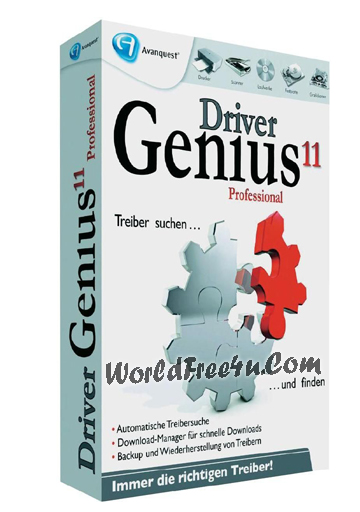
Driver Genius Professional 11.0 (2012) With Serial key

||Driver Genius Professional 11.0||

[Serial Key | Uploadorb | Uploadbaz]

Cover Of Driver Genius Professional 11.0 (2012) Full Latest Version Free Download At worldfree4u.com
Driver Genius Professional is a professional driver management tool features both driver management and hardware diagnostics. Driver Genius provides such practical functions as driver backup, restoration, update and removal for computer users. If you often reinstall your operating system, you may not forget such painful experiences of searching all around for all kinds of drivers. If unfortunately you have lost your driver CD, the search will be more troublesome and time-consuming.
Driver Genius Professional is a software that backup and restore drivers.

Features:
* Drivers Backup: Driver Genius can detect and quickly backup drivers installed in system. It can compress the backup drivers to a zip file, self extracting file or an independent executable auto installer program.
* Drivers Restore: You need not install drivers one by one after reinstalling Operating System. Just need only one click you can install all your backup drivers automatically. You can also install drivers in command mode silently. If you need install drivers on multiple PC with the same hardware configuration, Driver Genius can save your much time to reinstall system.
* Drivers Update: Are you still using an old version or beta version drivers? Those faulty drivers always cause compatibility problem. They are the biggest hidden trouble that cause system crash. A suitable drivers can upgrade 50% or even more system performance . There are more than 30,000 devices drivers information in Driver Genius Database that including Motherboard, Sound card, Video card, Network card, Modem, Mouse, Keyboard, Scanner, Printer, Digital device etc. All you need to do is one click, Driver Genius will find out all drivers that need updating. All drivers we offer are official version or WHQL version, you can use them without any compatibility worries.
* Drivers Uninstall: There could be some leftover drivers in your system because of changing hardware or updating drivers. Driver Genius can find out these useless drivers quickly and uninstall them.
* LiveUpdate: We update large numbers of drivers on our website. You can synchronize your database with our download server to get the newest version drivers by Liveupdate program.
Install Note:
1. Unpack
2. Install
3. Use Key
4. Enjoy it !

Downloading Links 


HD Desktop Wallpapers Collection Part (16)

||HD Desktop Wallpapers Collection Part (16)||

Free Download Computer Desktop HD Wallpapers Collection Part 16 High Definition


Computer.Desktop.Wallpapers.Collection-16
105 JPG | 1680X1050 – 2560X1600 | 101 Mb

Downloading Links
||Download Via Single Resumable Links 104MB||
Sharebeast | Hugefiles | Fileswap | Albafile

BRIAN LARA INTERNATIONAL CRICKET 2007 INCL CRACK

In addition to players, the game leads with a dedicated ICC Cricket World Cup 2007 mode featuring all the official teams, stadia, kits and equipment of the tournament. Further modes include a fully licensed ICC Champions’ Trophy competition and exhibition matches including One Day Games, Test Matches and exciting 20-over run fests. When you want to get competitive for real, Brian Lara International Cricket 2007 delivers online competitive play on PC (LAN and online).

Brian Lara International Cricket 2007 adds extra depth to the series complete batting, bowling and fielding experience whilst retaining its trademark accessible playability. The acclaimed batting play sees the introduction of subtle edges, sweepshots and the ability to use your feet to dance down wicket and smash the ball over the boundary for six.

Bowling sees a much-improved set of delivery types, thanks to changes in the way the ball swings in the air and reacts off the pitch, showcasing Shane Warne’s huge variation of spinning deliveries and Steve Harmison’s raw pace and even reverse swing as the ball degrades. In Fielding, there’s a new reflex-testing slip catch system and players can now be run out at both ends and be stumped by alert wicket keepers.

A striking advancement is the photo-realistic visuals; with hundreds of real player likenesses being modelled in high detail, complete with animated facial expressions to capture the intensity and emotion of international cricket. Stadia, including all eight official World Cup venues, have also been created with a new level of textured detail and they make use of proprietary shader technology for realistic, subtle and changing lighting effects, such as time of day and weather.


Features :

240 licensed international players with real players names and likenesses and 8 officially licensed World Cup stadia
The ICC Champions Trophy 2006 game mode - 10 licensed international teams with official kits, 140 licensed international player names and likenesses
Multi-player leagues, tournaments (including the ICC Cricket World Cup 2007 and ICC Champions Trophy 2006) exhibition and warm up matches
Tutorial Mode - learn the basics of the game in a full cricket tutorial coaching mode - with commentary by Jonathon Agnew
AI system - makes for a far more authentic and exciting cricket experience when playing against the CPU
Batting - enhanced to include new shots, including the sweep shot, the reverse sweep and advancing down the pitch
Bowling - ball delivery speed now based on the real life Wisden player stats, wind, climate and pitch condition have an effect on ball movement and bounce
Fielding - new additions include throwing to both ends of the wicket, stumpings, slip catches and close-field catches
Vastly enhanced graphics - new head and skeleton technology for the players and improved texturing, lighting and bump-mapping throughout
Play with Officially Licensed cricket equipment from manufacturers such as MRF, Kookaburra, Gray Nicholls and many more
Official Hawkeye ball-tracking analysis


The minimum and recommended system specs for Brian Lara International Cricket 2007 have been announced. Check your system now to make sure you can run the best cricket game ever successfully!

Minimum Requirements:

DirectX 9.0c
Pentium III @ 1.4GHz or Athlon 1600+
Supported Graphics card
DirectX Compatible Sound Card


Recommended Requirements:

DirectX 9.0c
Pentium 4 @ 2.4GHz or Athlon XP 2400+ or above
Graphics Card: GeForce 6800 or Radeon X800 or above
Creative Sound Blaster X-Fi Sound Card
Sound Blaster® X-Fi™ series


Supported 3D Chipsets:

ATi Radeon: 8xxx, 9000, 9100, 9200, 9500, 9550, 9600, 9700, 9800, X700, X800, X850, X1300, X1600, X1800, X1900, X1950
nVidia: GeForce 3, GeForce4 (not MX), GeForce FX 5200, 5600, 5700, 5800, 5900, 5950, 6800, 7800, 7900, 7900, 7950, 8800


Other: Not compatible with all integrated sound/graphics solutions (inc. Laptops)


jpg
jpg
jpg
jpg
jpg
jpg
jpg


Install Notes :-

1. unrar app with WINRAR
2. click on autorun.exe/setup.exe (Choose autorun.exe Recommended)
3. after installation openal software will install automatic so do not ignore it install it
4. if it will not install automatic so install it manualy
5. go openal folder and click on openalwEAX.exe and install it
6. and protection driver also install with it
7. after open crack folder and copy all files and paste it from installation path
8. and play THIS GAME
9. AND INJOY 

NOTE:
You need UTorrent software to download this Game.
Click here to download UTorrent.


Finally, You can download the game from here:


MICROSOFT XBOX 720 MIGHT BECOME THE FASTEST AND THE MOST INNOVATIVE GAMING DEVICE

WASHINGTON: In gaming world among the competitor like Sony in the market, software giant Microsoft is planning to cement their place with its latest addition of gaming device Xbox 720.


As in past, Microsoft have won great response from gamers when they launched Xbox 360 and now the company is introducing Xbox 720 or Xbox One with some new specifications.
Microsoft has not yet unveiled its next-generation gaming console, but the clock is ticking and the unveiling event draws nearer by the day. Until then all we have are rumors regarding the console’s feature and specifications. As always, official information is much more satisfying, but our curiosity got the better of us and we can’t simply disregard the latest buzz.


Processor and hardware:
Gamers majorly like fast processor that can run heavy games smoothly. Interestingly enough, Microsoft’s next-gen console is expected to have a similar “beating heart” as Sony’s PlayStation 4. In other words, according to reports from TechRadar, the Xbox 720 might end up being powered by an AMD Jaguar-based processor running at 1.6 GHz. The CPU inside the Xbox 720 might be identical to the one found under the hood of the PS4, which means that game developers will have a much easier time developing new titles for both platforms.
In terms of graphical capabilities, the Xbox 720 might feature an AMD GPU that allegedly has its roots in the 7000 series, same as the PlayStation 4. However, reports have explored the possibility that the graphics chip inside Microsoft’s console would benefit from 12 processing clusters instead of 18 (featured by the PS4), indicating that the GPU inside the Xbox 720 might be slightly less powerful.


Controllers:
Xbox is also famous among the people because of its controllers. The Xbox 720 manufacturers had experienced the popularity of it’s previous generation’s controller, the Xbox 360, due to its best handling and gamer-friendly designed.
Maintaining the same trend in new device, the manufacturers are expected to continue with the same controllers for Xbox 720.


Storage:
Mostly peoples like to have high storage capacity. The Xbox One will include a 500GB mechanical hard disk as standard – something already confirmed by the most recent Durango development kit documentation leak. Although we would have loved to see a sizable SSD, which would be faster, quieter and cooler than a mechanical hard disk, price would almost certainly be a problem.


Speech Recognition:
Voice controller is also a key feature in the devices. Kinect camera was used in Xbox 360 which supports voice control as well as Wake on voice, natural language controls and speech-to-text were just a few of the new features listed during the Xbox’s revealing event
Kinnect sensor’s new generation will also notice the voices of several persons in a room and suggest the exact multiplayer after detecting the persons looking to play the games.


Skype:
Microsoft now own Skype, according to CVG Skype will be the default communications platform in place of the standard Xbox Live chat system and Messenger service, although Microsoft has yet to confirm it.


Smart Glass:
Microsoft’s current generation Smart Glass system is rather limited, with only a few games supported and a rather simplified UI. It’s surprise that the Xbox One will include a beefed-up version of Smart Glass.


Price:
Rumours suggest, it will cost $299 in the US, but that sounds too low to us. We’d expect it to cost around £299 here in the UK.


Release Date:
According to Microsoft analyst Paul Thurot the Xbox will expected to come in the early November.
Moreover, above features and information is concerned Microsoft Xbox 720 will be the best gaming device ever and have the ability to dominate the market.

MS Office ProPlus VL 2013 [Activator|Working Fine]

Microsoft Office ProPlus VL 2013 (x86/x64) EN + Activator 


System Requirements: 
Computer and processor: 1 GHz or greater x86/x64 Processor with SSE2 instruction set 
Memory: 1 GB RAM (32-bit) / 2 GB RAM (64-bit) 
Hard Disk: 3.5 GB free disk space 
Operating System: Windows 7, Windows 8, Windows Server 2008 R2 or newer 
Graphics: Graphics hardware acceleration requires DirectX10 graphics card. 

================================================== 
################################################## 

Microsoft Toolkit 2.4.3 Stable | 38 MB 

https://safelinking.net/p/e68e2e070b


Skype v6.6.0.106 - All Editions Free Download


Skype v6.6.0.106 - All Editions 

Calling, seeing, messaging and sharing with others – wherever they are. 


Skype is software that enables the world's conversations. Millions of individuals and businesses use Skype to make free video and voice calls, send instant messages and share files with other people on Skype. You can use Skype on whatever works best for you - on your mobile, computer or a TV with Skype on it. If you pay a little, you can do more – like call phones, access WiFi, send SMS and make group video calls. You can pay as you go or buy a subscription, whatever works for you. And in the world of business, this means you can bring your entire ecosystem of workers, partners and customers together to get things done. Try Skype today and start adding your friends, family and colleagues. They won't be hard to find; hundreds of millions of people are already using Skype to do all sorts of things together. Skype is free to download and easy to use. 

Features: 

Skype-to-Skype calls, video calls and instant messaging are free, any time of the day or night, anywhere in the world. Call phones and mobiles and send SMS messages at great value Pay As You Go rates, or call unlimited* to certain countries with a subscription.


Free Skype-to-Skype calls. 

Call phones and mobiles, send SMS. 

Free instant messaging. 

Voicemail. 

Free video call. 

Forward calls to a phone when you're offline.


View all features here: 

http://www.skype.com/en/features/


View Full Release Notes here: 

http://blogs.skype.com/2013/07/03/skype-for-windows-desktop-6-6-making-it-easier-to-use/


In order to use Skype for Windows software, your computer must meet the following minimum system requirements:


PC running Windows 2000, XP, Vista, Windows 7 or Windows 8. (Windows 2000 users require DirectX 9.0 for video calls). 

Internet connection – broadband is best (GPRS is not supported for voice calls). 

Speakers and microphone – built-in or separate. 

For voice and video calls we recommend a computer with at least a 1GHz processor, 256 MB RAM and of course a webcam. 

For High Quality Video calls you will need a high quality video webcam and software, a dual-core processor computer and a fast broadband connection (384 kbps).


No emergency calls with Skype 
Skype is not a replacement for your telephone and can't be used for emergency calling!